HMAC-signed webhooks: how secure is AI chatbot lead delivery

TL;DR
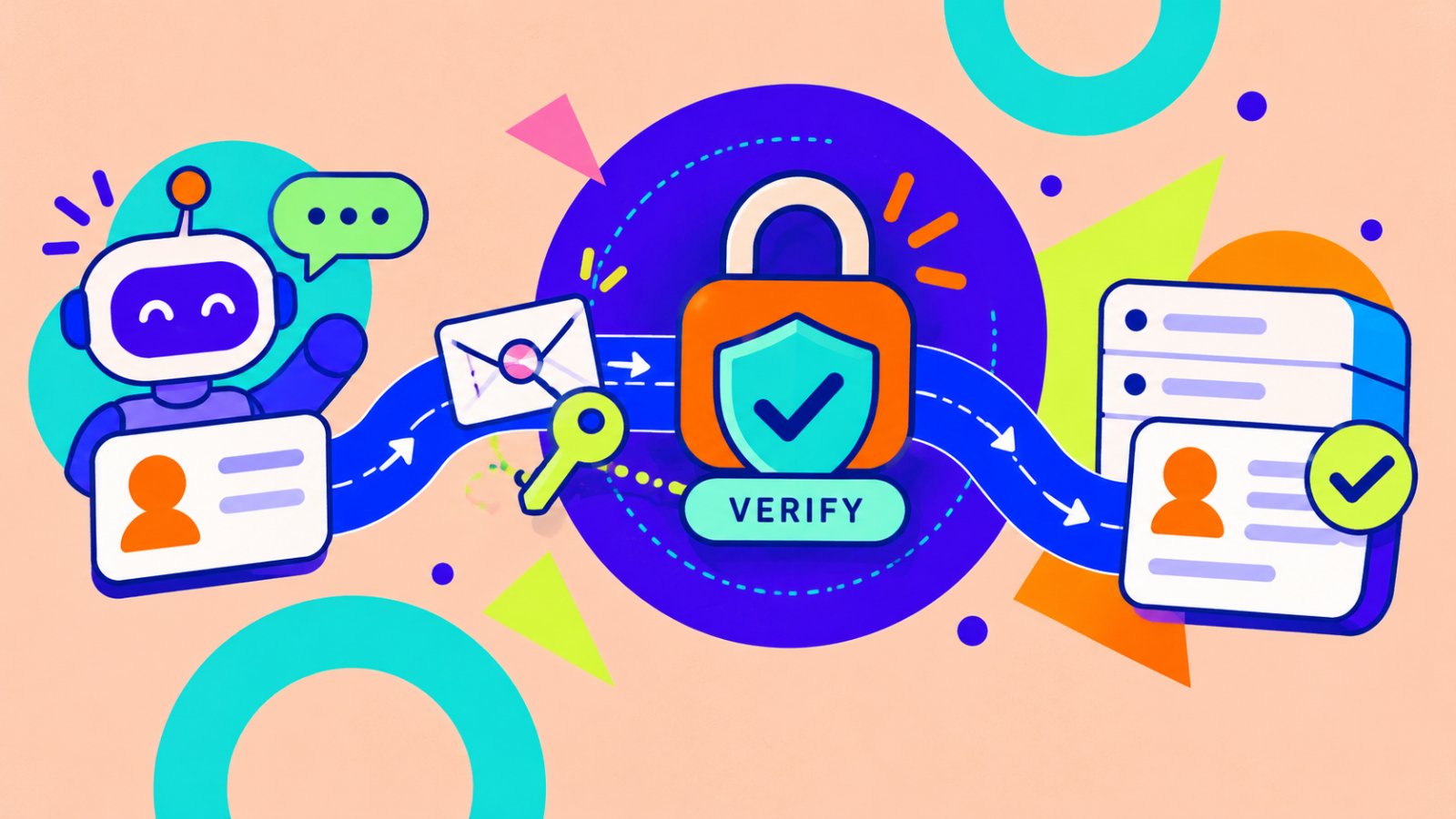
The hmac signed webhook chatbot leads pattern lets your server verify that a lead request came from the expected sender and was not changed in transit.
HMAC does not encrypt the payload, prevent a leaked secret, or automatically stop replayed requests.
Matram signs outbound webhook requests with HMAC-SHA256 when you set a webhook secret.
Matram sends the signature in the x-signature header using the sha256=<hex> format.
Your receiver should verify the raw request body, use a constant-time comparison, reject failed signatures, prevent duplicate processing, and keep the secret outside your code.
A signed webhook is a strong delivery control, but it is not a complete security system by itself.
Introduction
A chatbot lead usually arrives as a simple HTTP request.
Your system receives a name, email address, conversation summary, and event details. Then it creates a CRM record, alerts a sales rep, or starts an automation.
The problem is that anyone who can reach a public webhook URL can attempt to send a fake request.
That is why the hmac signed webhook chatbot leads approach matters. The receiving server and the sending platform share a secret. The sender uses that secret to create a signature from the request body. The receiver calculates the signature again and accepts the request only if both values match.
This article is published by the team behind Matram, but the security checks apply to any chatbot or lead platform.
What hmac signed webhook chatbot leads security actually means
HMAC is a message authentication method based on a secret key and a cryptographic hash function. RFC 2104 defines the construction and explains that security depends on the hash function, the secret key, and correct implementation.
The basic flow is:
- The sender creates an HMAC from the secret and the exact request body.
- The sender sends the payload and signature together.
- Your endpoint receives both values.
- Your server creates its own HMAC from the same secret and raw body.
- Your server compares the two signatures.
- The request continues only when they match.
If the payload changes, the calculated signature changes too.
What HMAC protects
- The request was created by someone who knows the shared secret.
- The request body was not modified after signing.
What HMAC does not protect
- The payload is not encrypted by HMAC.
- A leaked secret allows an attacker to create valid signatures.
- HMAC alone does not automatically stop replayed requests.
- It does not protect your CRM or automation after the webhook is accepted.
- It does not validate whether the lead information itself is truthful.
HMAC answers one question: Can this request be trusted as coming from the holder of the secret, and has the signed content stayed unchanged?
How Matram handles hmac signed webhook chatbot leads delivery
Matram’s lead-routing agent sends captured leads to a CRM or webhook. Its current page says the webhook can carry the lead and conversation context, and that a secret can be set so the payload is HMAC-signed.
The Matram API integration page documents:
- HMAC-SHA256 signing
- The x-signature header
- The sha256=<hex> signature format
- Verification over the raw request body
- Webhook access on Standard and Pro plans
- HTTPS endpoints for receiving requests
Matram can send events when a lead is captured or a conversation is escalated. The request may include the contact details collected, event information, workspace information, and conversation context.
Do not treat the signature as permission to trust every field automatically. Verify the signature first, then validate the event type, required fields, lead format, and any business rules in your own system.
The security of hmac signed webhook chatbot leads depends on both sides doing their part. Matram signs the request, but your endpoint still controls verification and downstream processing.
How to verify a Matram webhook
For hmac signed webhook chatbot leads, verification should happen before you parse or process the payload.
1. Receive the request over HTTPS
Your endpoint should use HTTPS. HMAC verifies authenticity and integrity, but it does not encrypt the payload. HTTPS protects the request while it travels between systems.
2. Preserve the raw body
Do not parse the JSON and then convert it back into a string before verification. Whitespace, key order, escaping, and line breaks can change the bytes and produce a different signature.
Stripe’s official webhook guidance also requires the original raw body for signature verification. GitHub gives the same warning in its webhook validation documentation.
3. Read the signature header
Matram’s current API documentation uses:
x-signature: sha256=<hex>
Reject the request when the header is missing, uses the wrong prefix, or contains an invalid value.
4. Calculate the expected signature
Use HMAC-SHA256 with:
- Your stored webhook secret as the key
- The exact raw request body as the message
Never rotate the secret per request or reformat the body.
5. Compare the signatures safely
Use a constant-time comparison instead of a normal string comparison. GitHub specifically recommends this approach, and Node.js provides crypto.timingSafeEqual for comparing equal-length byte values.
A simplified Node.js example:
import { createHmac, timingSafeEqual } from "node:crypto";
const rawBody = req.rawBody; // Capture before JSON parsing
const received = req.headers["x-signature"];
const expected =
"sha256=" +
createHmac("sha256", process.env.MATRAM_WEBHOOK_SECRET)
.update(rawBody)
.digest("hex");
const valid =
typeof received === "string" &&
received.length === expected.length &&
timingSafeEqual(
Buffer.from(received, "utf8"),
Buffer.from(expected, "utf8")
);
if (!valid) {
return res.status(401).end();
}
const event = JSON.parse(rawBody.toString("utf8"));
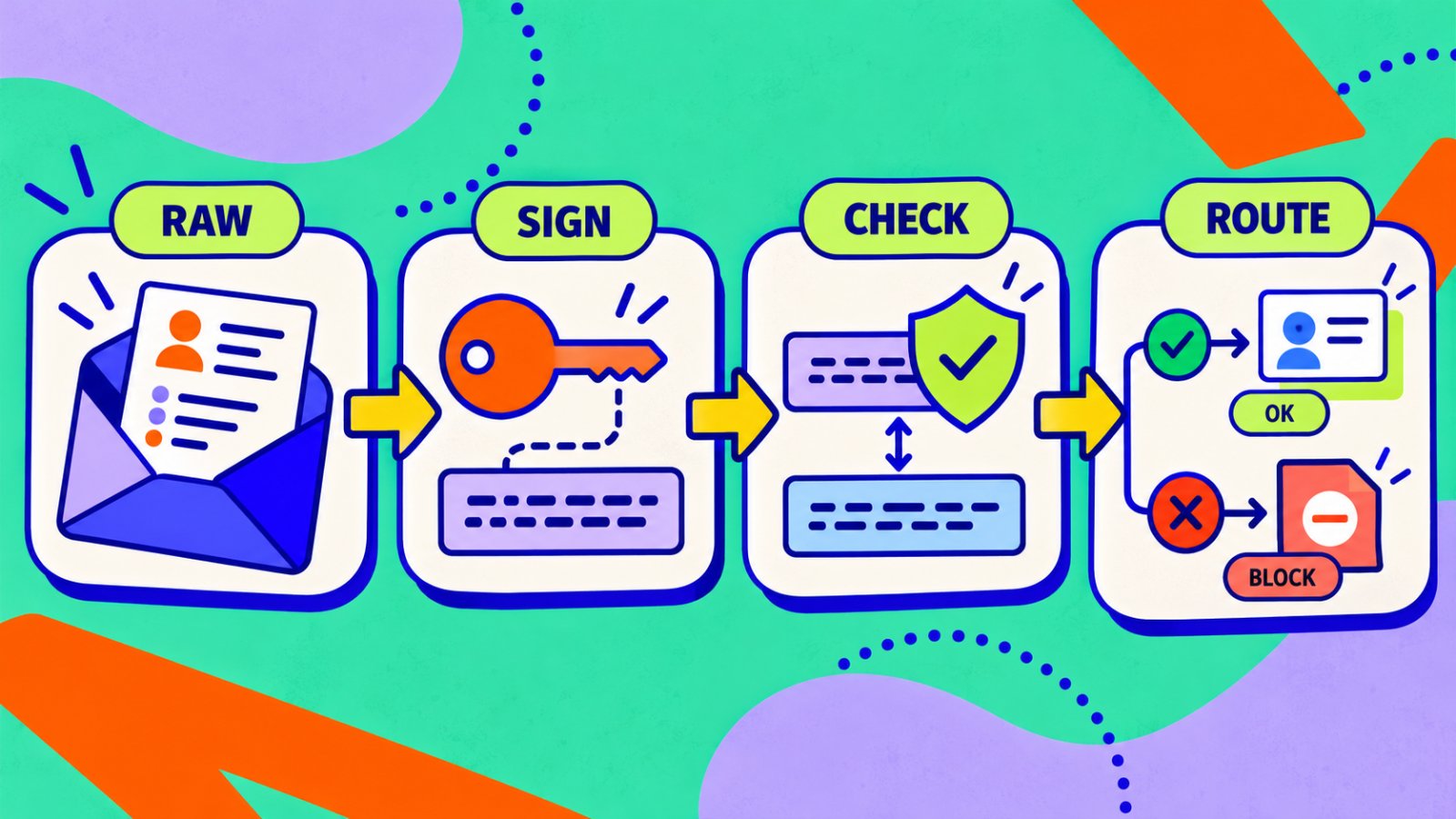
Frameworks differ, but the order stays the same: preserve, verify, then parse.
A signed webhook flow preserves the raw payload, verifies the HMAC, and routes only accepted events.
HMAC signed webhook chatbot leads security checklist
| Check | What to confirm |
|---|---|
| HTTPS | The receiving endpoint uses HTTPS and has a valid certificate. |
| Secret storage | The secret is stored in environment variables or a secrets manager, not in source code. |
| Raw body | Verification uses the original request bytes. |
| Algorithm | The receiver calculates HMAC-SHA256. |
| Header | The receiver checks the x-signature header and sha256= prefix. |
| Comparison | Signatures are compared using a constant-time method. |
| Failure handling | Missing or invalid signatures return 401 or 403. |
| Duplicate handling | Repeated deliveries cannot create duplicate CRM records or automations. |
| Replay control | Timestamp or event-id checks are used when the sender provides them. |
| Logging | Secrets and full lead payloads are not written to ordinary application logs. |
| Response time | The endpoint validates quickly, queues longer work, and returns a success response promptly. |
| Secret rotation | You have a safe process for replacing a secret if it is exposed. |
What a valid HMAC signature still does not prove
A valid signature does not prove that the lead is genuine.
It proves that the request was created by someone with the secret and that the signed bytes were not altered. The visitor may still have entered a false name, a disposable email address, or misleading information.
A valid signature also does not stop every replay attack. The current Matram API page documents the x-signature header and HMAC-SHA256 format, but it does not document a timestamp field in that signature.
That means your implementation should:
- Check for duplicate events
- Store a delivery identifier or body hash
- Avoid repeating an irreversible action
- Ask Matram support about replay-specific controls before treating HMAC as the complete solution
Common mistakes that weaken webhook security
Parsing before verification
Your framework may automatically parse JSON before your handler runs. Configure it to preserve the raw body or signature verification may fail.
Using a normal equality check
A plain == comparison is not the correct security control for signatures. Use a constant-time comparison.
Treating HMAC as encryption
Anyone who can access the HTTPS payload after delivery may still see the lead information. Limit access, protect logs, and avoid sending more personal data than the workflow needs.
Processing before checking the signature
Do not create a CRM record, send an email, or trigger an automation before verification succeeds.
Ignoring duplicates
A webhook can be delivered more than once. Your system should make processing idempotent so one lead does not trigger multiple sales tasks.
How to test before sending real leads
Use a test endpoint and check each case:
- A valid payload with a valid signature
- A valid payload with one character changed
- A request signed with the wrong secret
- A request with no signature header
- A request with the wrong algorithm prefix
- The same valid event sent twice
- A payload with missing required lead fields
- A slow downstream CRM response
- A malformed JSON body
- A secret rotation where both old and new secrets are handled during the transition
How Matram fits into the workflow
Matram features cover lead capture, conversation history, human handoff, and deployment across connected channels. The webhook is the bridge between that captured lead and the system your team uses next.
Matram integrations can help you decide whether a native connector is enough. If not, the signed webhook gives your team a controlled way to send the event to your own endpoint.
For security-sensitive teams, review Matram’s security and data handling page before connecting lead data. It explains workspace isolation, connector-token protection, data handling, and the security assurances Matram does not currently claim.
The important boundary is clear:
- Matram signs the outbound request.
- Your endpoint verifies the signature.
- Your application validates the data.
- Your CRM or automation decides what action to take.
No single layer should be treated as the whole security model.
FAQs
What does hmac signed webhook chatbot leads mean?
It means a chatbot lead webhook is signed with a shared secret using HMAC. The receiving server recalculates the signature and accepts the request only when the values match.
Does HMAC encrypt chatbot lead data?
No. HMAC verifies authenticity and integrity. Use HTTPS for transport encryption, restrict access to the endpoint, and avoid logging unnecessary personal information.
Does Matram sign chatbot lead webhooks?
Yes. When you set a webhook secret, Matram documents outbound webhook signing with HMAC-SHA256 through the x-signature header using the sha256=<hex> format.
Can I verify the signature after parsing JSON?
No. Verify the original raw request body first. Parsing and re-serialising JSON can change the bytes and cause a valid request to fail verification.
Is hmac signed webhook chatbot leads delivery secure enough for production?
It can be, if the secret is protected and your receiver verifies the raw body, uses constant-time comparison, requires HTTPS, rejects failures, handles duplicates, and validates the payload before triggering downstream actions.
Which Matram plans include signed webhooks?
Matram’s current API page lists the public API and signed webhooks for Standard and Pro plans. Check the live Matram API integration page before publishing because plan access can change.
Conclusion
For teams sending hmac signed webhook chatbot leads, the signature is the first security gate, not the final one.
HMAC-SHA256 can help your receiver detect spoofed or modified requests. It cannot protect a leaked secret, encrypt the payload, validate the lead’s truthfulness, or stop duplicate processing by itself.
Use the correct sequence:
- Receive the request over HTTPS
- Preserve the raw body
- Verify the x-signature header
- Compare it safely
- Parse and validate the event
- Process it idempotently
That is how a chatbot lead becomes a trusted event instead of an unchecked POST request.
See Matram in action
Watch it answer from real content, with the exact source page cited, on the live demo.
Book a demo