How to train an AI web agent on PDFs, DOCX and help center content

TL;DR
Use current and approved sources
Remove duplicate and outdated files
Keep headings, tables, and policies clear
Upload sources in small batches
Test exact questions and natural variations
Check the source behind every answer
Give the agent a clear way to say “I don’t know”
Matram lets you combine website pages, PDFs, DOCX files, pasted text, and connected knowledge sources in one chatbot. The quality still depends on the content you upload and how regularly you maintain it.
Introduction
Your support chatbot does not become useful the moment a PDF finishes uploading.
If the file is outdated, badly structured, full of duplicate policies, or contradicted by a newer help center page, the chatbot can still give a confident but incorrect answer.
That is the real challenge when you train ai chatbot on pdf docx content. The work is not only uploading files. It is choosing the right sources, preparing them properly, testing the answers, and keeping everything current.
For a source-grounded workflow, you can explore Matram and start with a small, carefully maintained knowledge base.
What does “train ai chatbot on pdf docx” actually mean?
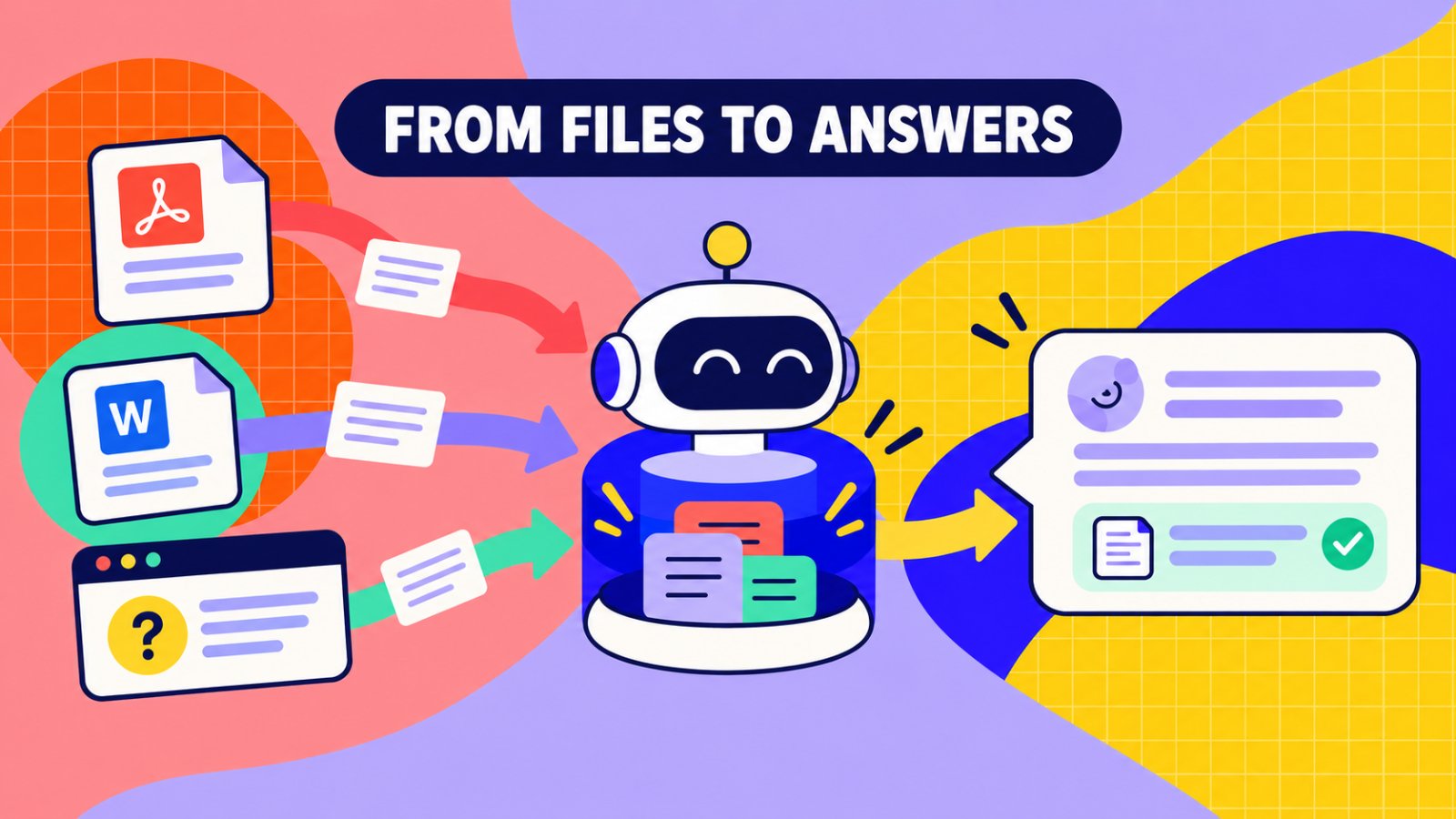
When people say they want to train ai chatbot on pdf docx files, they usually mean they want the chatbot to answer questions using those documents.
That is different from fine-tuning an AI model.
The usual process works like this:
- The system reads the file.
- It extracts and cleans the text.
- It breaks the content into smaller sections.
- It creates a searchable index.
- It retrieves relevant passages when someone asks a question.
- It generates an answer using those passages.
This is a retrieval-grounded workflow.
The source quality matters more than the number of files you upload. A short, current refund policy is more useful than a 70-page handbook containing three old versions of the same rule.
| Source | Best use | Main risk |
|---|---|---|
| Product guides, policies, brochures, and manuals | Scanned pages, old versions, and complex tables | |
| DOCX | Internal procedures, FAQs, and structured documentation | Tracked changes, duplicate drafts, and unclear headings |
| Help center | Current public support answers | Orphan pages, outdated articles, and conflicting policies |
| Website | Product, pricing, and onboarding information | Marketing copy may not answer detailed support questions |
When teams train ai chatbot on pdf docx files, they often focus on the upload button. The more important decision is which version should be treated as authoritative.
How Matram helps you train ai chatbot on pdf docx content
Matram’s Knowledge panel showing PDF and DOCX sources ready for the AI web agent.
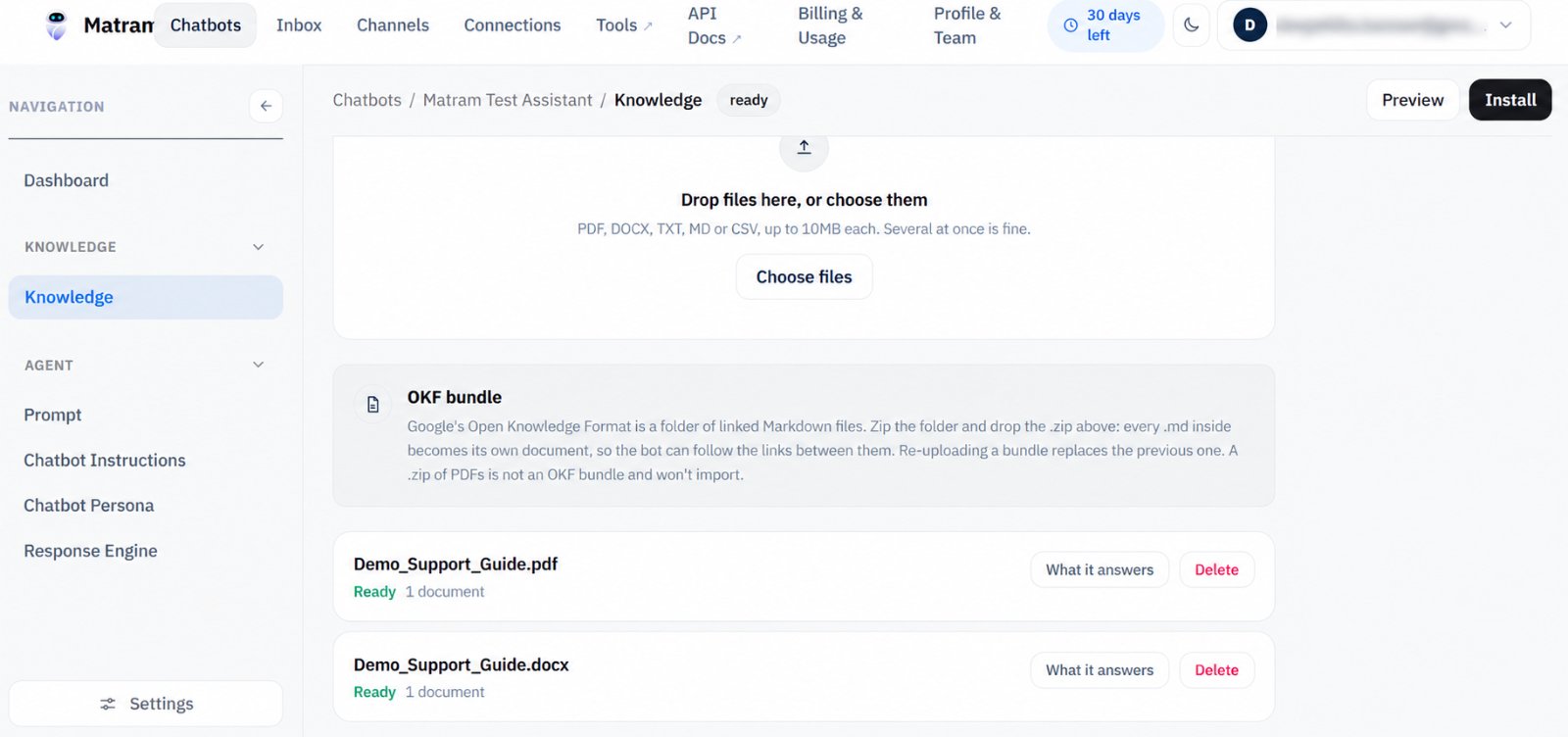
Matram supports four direct source types: website content, XML sitemaps, PDF or DOCX uploads, and pasted text. It can also use connected knowledge sources.
You can review the current Matram features before choosing the source mix for your web agent.
The basic workflow is:
- Choose the content the agent should answer from.
- Add the source to the chatbot.
- Wait for the content to be cleaned, indexed, and marked ready.
- Set the answer boundary.
- Test real customer questions before deployment.
Matram also supports strict and flexible response modes.
Strict mode keeps answers within the approved source material and allows the agent to decline when it cannot find support for an answer. Flexible mode gives the agent more room to reason beyond the uploaded content.
For customer support, strict mode is usually the safer starting point. A short refusal is easier to review than a confident answer based on an unrelated document.
Prepare PDFs before you train ai chatbot on pdf docx files
Use the latest approved version
Before uploading a PDF, check:
- Publication date
- Policy version
- Product version
- Document owner
- Whether a newer DOCX or help center page exists
Do not upload every historical version “just in case.” If two files contain different refund rules, the chatbot may retrieve the wrong one.
Check whether the text is selectable
A scanned PDF may look readable to a person but contain no usable text layer.
Open the file and try to select a sentence. If you cannot select the text, the document may need OCR before upload.
Also check:
- Text inside screenshots
- Multi-column layouts
- Footnotes
- Headers and footers
- Tables split across pages
If the important answer is inside a visual chart or scanned image, do not assume the chatbot will interpret it correctly. Add the key information as clean text in a supporting document.
Remove document clutter
Delete or correct:
- Old contact details
- Internal comments
- Draft labels
- Duplicate pages
- Repeated headers
- Placeholder text
- Outdated links
A chatbot can retrieve a sentence that was never meant for customers. Clean the file before it becomes part of the answer base.
Prepare DOCX files before you train ai chatbot on pdf docx content
DOCX files are useful because they are easy to update. They are also easy to duplicate.
Before uploading one, check:
- Heading structure
- Table formatting
- Tracked changes
- Comments
- Hidden text
- Repeated policy sections
- Conflicting versions
Use clear headings such as:
- Eligibility
- Pricing
- Setup
- Refunds
- Troubleshooting
- Escalation
A clean heading structure makes the document easier for both people and retrieval systems to navigate.
Do not upload final.docx, final-new.docx, and final-new-approved.docx together. Choose one approved file and archive the rest elsewhere.
The cleanest way to train ai chatbot on pdf docx content is to make the source hierarchy obvious before indexing begins.
Prepare help center content before training the Matram web agent
Your help center should be the most current source, not simply the largest one.
Remove orphan pages
If an article is not linked from your navigation or help center structure, decide whether customers should still receive answers from it.
Consolidate duplicate answers
If three pages explain the same setup process, keep one canonical version and redirect or remove the others.
Add the missing question
A help center may explain a feature without answering the question customers actually ask.
For example:
- The page explains cancellation
- Customers ask when cancellation takes effect
- The chatbot needs that timing stated directly
Separate public and internal content
Do not mix internal troubleshooting notes, temporary workarounds, or private pricing exceptions with customer-facing documentation.
Matram can combine multiple source types, but your team still needs to decide which source has priority. If you regularly update content across different tools, review Matram integrations before connecting them.
The Matram test before you launch
Testing whether the Matram web agent can answer questions from uploaded PDF and DOCX content.
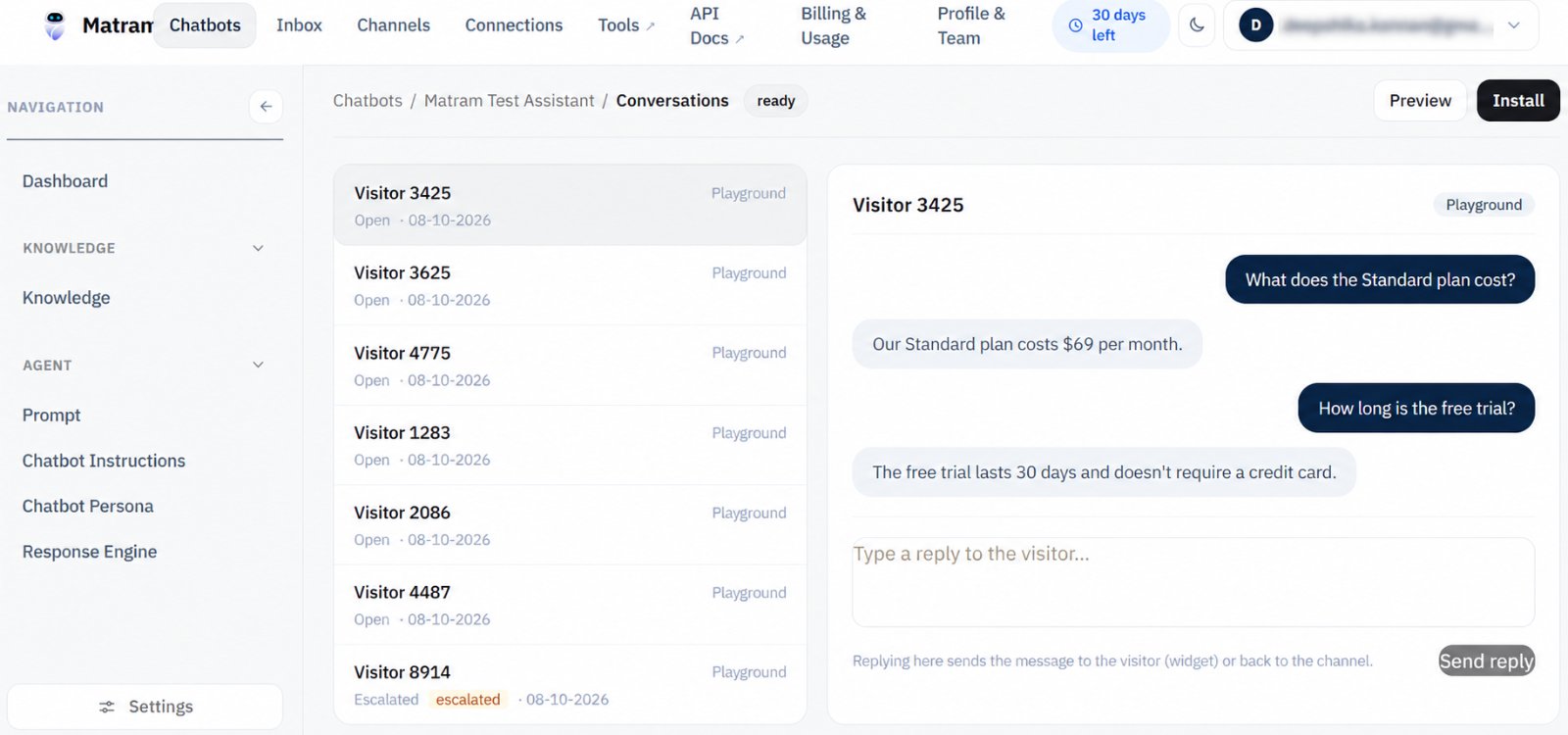
Before you train ai chatbot on pdf docx content for real visitors, prepare a small test set.
Include:
- A question answered directly in the PDF
- A question answered in the DOCX
- A help center question
- A paraphrased version of each question
- A question with no approved answer
- A question where two sources might conflict
- A request for a human
- A question about a recent policy change
For every response, check:
- Is the answer factually correct?
- Did it use the right source?
- Is the citation relevant?
- Did it avoid inventing details?
- Is the answer short enough for a chat window?
- Does it offer a handoff when necessary?
This is the part most teams skip when they train ai chatbot on pdf docx files. They confirm that the file uploaded, then assume the answer quality is finished.
It is not.
A source showing “Ready” only confirms that the system processed the file. It does not prove that the chatbot will answer every customer question correctly.
Keep Matram’s source set current
Documents change after launch.
A new pricing page replaces an old PDF. A help center article changes before the internal manual does. A support team updates a process in a DOCX file that nobody remembers to upload.
Matram supports scheduled source syncing by plan. Use it for sources that change regularly, but still assign someone to review important updates manually.
For sensitive content, review Matram’s security information before connecting internal document sources.
A simple maintenance routine can include:
- Reviewing pricing files whenever plans change
- Checking policy documents after every policy update
- Removing replaced files from the active source set
- Testing important questions after every source change
- Recording which document is the current approved version
Common mistakes when you train ai chatbot on pdf docx content
Uploading everything
More files do not automatically create better answers. They may create more conflicts.
Keeping old versions active
Archive old documents instead of allowing the chatbot to retrieve them.
Ignoring tables
Pricing, eligibility, and comparison tables often contain the actual answer. Check whether their structure remains understandable after indexing.
Testing only exact wording
Visitors will not ask questions in the same language as your documentation. Test paraphrases, incomplete questions, and informal wording.
Treating indexing as proof of quality
A source can finish indexing and still produce an incomplete or poorly cited answer.
Skipping human handoff
Some questions require account access, judgement, or an action across another system. A good web agent should know when to stop.
Matram FAQ: training an AI web agent
How do I train ai chatbot on pdf docx files?
Upload approved PDF and DOCX sources to Matram, wait for indexing to finish, choose the response mode, and test real customer questions. The quality depends on the accuracy, structure, and freshness of the uploaded files.
Can Matram use PDFs, DOCX files, and help center pages together?
Yes. Matram supports multiple direct source types and can combine them in one chatbot. Keep only current and approved versions active.
Will uploading a PDF fine-tune the AI model?
No. Uploading a PDF gives the chatbot source material to retrieve when answering. It does not fine-tune a general language model from scratch.
What should I do if Matram gives the wrong answer?
Check the cited source first. If the source is outdated or unclear, update it and test again. If no approved source covers the question, use strict mode or configure a human handoff.
How do I keep a trained web agent current?
Use scheduled syncing for changing website sources, review important document updates manually, and remove outdated PDFs or DOCX files from the active source set.
Conclusion
To train ai chatbot on pdf docx content successfully, start with content hygiene rather than the upload button.
Choose one approved version. Remove duplicates. Make headings and tables clear. Keep the help center current. Test real questions, not only perfect examples. Check the citation behind every answer.
Matram gives you the source options, response controls, and web deployment layer. Your documentation decides how useful the final agent becomes.
When your content is ready, review Matram’s pricing and start with a small, well-maintained source set. Expand only after the answers are accurate, cited, and safe to trust.
See Matram in action
Watch it answer from real content, with the exact source page cited, on the live demo.
Book a demo