WhatsApp AI Agent Use Cases for Real Estate Teams


TL;DR
It qualifies buyers and sellers by asking about budget, timeline, financing, location, and property requirements.
It captures lead details and shares a genuine viewing or consultation booking link.
It hands serious, sensitive, or unclear conversations to a human with the conversation context.
Matram answers from your own content, shows citations, captures leads, and supports human handoff.
Matram’s WhatsApp channel is still rolling out, and it does not directly connect to MLS, IDX, or real estate CRMs.
A whatsapp ai agent real estate workflow answers listing, property, fee, and process questions instantly, including after hours.
Introduction
A property enquiry does not wait for office hours.
Someone may ask about a listing while you are driving to a showing, meeting a client, or sleeping. If the reply comes the next morning, the lead may already be speaking with another agent.
That is where a whatsapp ai agent real estate workflow can help. It gives the first response, answers common questions from approved content, asks a few qualifying questions, and passes the conversation to your team when a person needs to take over.
This article is published by the team behind Matram, but the workflow applies to any grounded AI system.
The important part is not simply putting a bot on WhatsApp. The bot must know what it can answer, what it should ask, and where it must stop.
What should a WhatsApp AI agent for real estate actually do?
A useful real estate agent should handle the repetitive first stage of a conversation:
- Answer common listing and process questions
- Ask whether the visitor is buying or selling
- Capture details such as name, email, budget, and timeline
- Share a genuine viewing or consultation booking link
- Escalate serious or sensitive conversations to a person
- Keep the conversation based on your approved content
It should not invent live availability, promise a booking that has not been created, or pretend to have access to an MLS or CRM system that is not connected.
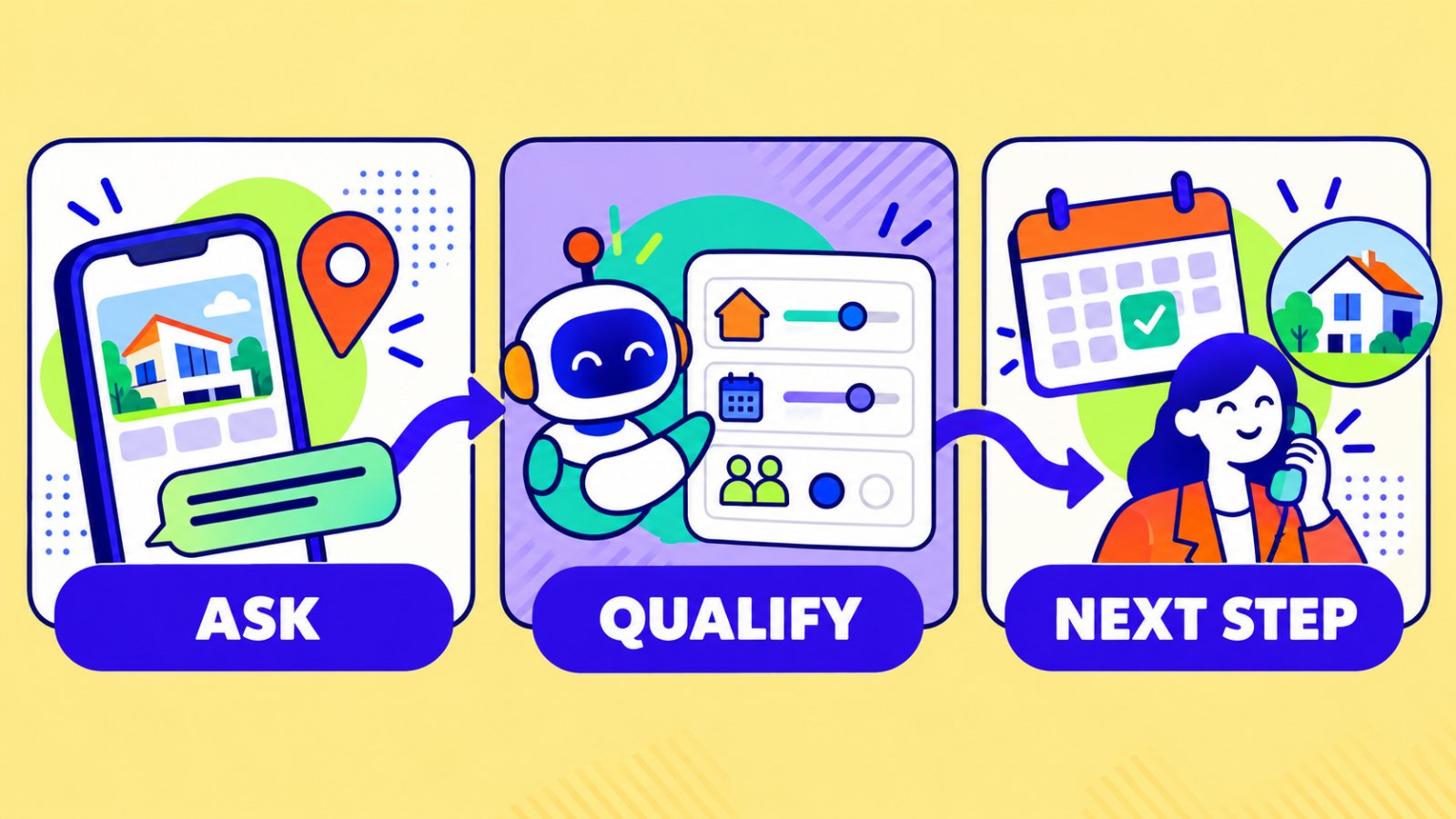
WhatsApp AI agent real estate use cases that matter
The most useful whatsapp ai agent real estate use cases are the ones that remove response delays without removing human judgement.
1. Answering after-hours listing questions
A prospect may ask:
Is this property still available?
What are the monthly fees?
How many bedrooms does it have?
Is parking included?
These questions are usually answered somewhere on the listing page. A grounded agent can find that information and respond immediately instead of leaving the prospect waiting.
The answer should come from the published listing content. If the page does not mention a detail, the agent should say that it does not have the information and offer a human handoff.
2. Qualifying buyers before the first call
Not every enquiry needs the same follow-up.
A whatsapp ai agent real estate workflow can ask:
- Are you looking to buy or rent?
- Which area are you considering?
- What is your approximate budget?
- When are you planning to move?
- Are you already pre-approved?
- Do you have a property to sell first?
This gives the agent context before the first conversation. It also helps separate casual browsing from a lead who is ready for a viewing or consultation.
Keep the questions short. Asking ten questions before answering anything will feel like a form, not a conversation.
3. Capturing seller enquiries
Seller questions need a different flow from buyer enquiries.
Someone may ask about your valuation process, the documents required, the expected timeline, or whether you cover a particular neighbourhood. The agent can explain the process from your own content and capture the details your team needs.
The agent should not invent a property valuation. If it does not have enough information to give a reliable answer, it should collect the enquiry and pass it to the right person.
4. Booking a viewing or consultation
When someone asks to see a property, the next step should be clear.
A whatsapp ai agent real estate workflow can share your Calendly or Cal.com link, or create an appointment through a connected Google Calendar when that option is available.
The important rule is simple: show a real booking option only. Do not tell someone that a viewing is confirmed unless the calendar has actually created the appointment.
The agent should also explain what happens next, such as whether the team will send directions, confirm the property details, or contact the visitor before the appointment.
5. Following up with campaign leads
Real estate teams often receive enquiries from property ads, landing pages, and open-house campaigns.
Instead of sending every lead to a blank form, you can use a whatsapp ai agent real estate flow to answer the first question, identify which property or campaign brought the visitor in, and collect contact details.
For example:
I came from the Riverside apartment advert. Is it still available?
The agent can answer from the relevant property page, ask whether the visitor wants to buy or rent, and offer the next useful step.
6. Answering neighbourhood and service-area questions
A real estate team is often chosen for its local knowledge.
Visitors may ask:
- Do you cover Northside?
- Which areas do you serve?
- Do you help with commercial properties?
- What is the usual buying process in this area?
- Do you work with first-time buyers?
If your website already contains neighbourhood pages, service-area content, and process guides, the agent can use those pages to answer consistently.
This is also a good way to find content gaps. If people repeatedly ask a question that your site does not answer, add it to your knowledge base instead of asking the bot to guess.
7. Handing serious leads to a person
Automation should make the handoff better, not hide it.
A real estate AI workflow should pass the conversation to a person when:
- The visitor wants to negotiate
- The question involves a complaint or dispute
- The property information is missing or outdated
- The visitor asks for legal, financial, or tax advice
- The lead is ready for a detailed conversation
- The visitor clearly asks for an agent
The human should receive the conversation context, not just a name and phone number. A transcript, qualification answers, and the property being discussed make the next reply much easier.
What a WhatsApp AI agent should not do
A real estate AI workflow is a poor fit when the team expects it to:
- Read live MLS or IDX inventory without a supported connection
- Write directly into Follow Up Boss, kvCORE, or Chime without integration
- Negotiate a specific appointment time conversationally
- Provide a guaranteed valuation
- Give legal or financial advice
- Confirm a viewing before the calendar creates it
- Pretend a lead was contacted by a human
These limits are not a weakness to hide. They tell you where automation ends and professional judgement begins.
How Matram supports a whatsapp ai agent real estate workflow
Matram’s real estate chatbot is designed around the first-response problem.
It can answer from crawlable listing pages, service-area content, buying and selling process pages, FAQs, and team information.
Matram’s features include:
- Answers grounded in your own content
- Source citations
- Strict mode for refusing unsupported answers
- Lead capture
- Human handoff
- Scheduled content syncing
- Multiple language support
Matram’s WhatsApp agent is currently marked as coming soon and rolling out.
It is not switched on for every workspace yet. The planned setup uses the same trained agent and the same content as the web experience, so teams do not need to rebuild their knowledge base for the new channel.
Until WhatsApp is available in your workspace, you can prepare the content and test the workflow on your website or another available channel. Matram’s AI agents page also explains the difference between a grounded support agent and a fully autonomous system.
How to prepare your real estate content
Before launching a whatsapp ai agent real estate workflow, organise the content it will use.
Start with:
- Crawlable listing pages with current prices, features, and availability
- Buyer and seller process pages
- Service-area and neighbourhood guides
- Viewing and consultation booking links
- Qualification questions
- Contact and escalation rules
- Clear answers for fees, timelines, and next steps
Check your listings carefully. If an IDX system loads property information only after the page opens in the browser, the agent may not be able to read it. Important inventory may need to be added as crawlable text or uploaded documents.
You can review available channel and content connections through Matram integrations.
How to test before launch
Before sending real prospects into the workflow:
- Ask questions about five different listings
- Test a question where the answer is missing
- Ask for a viewing at a specific time
- Try both buyer and seller conversations
- Check whether lead details are captured correctly
- Confirm that a human receives the conversation context
- Test outdated listing information
- Ask a question that requires legal or financial advice
The successful test is not simply a fast answer. It is a correct answer, a clear refusal when needed, and a clean handoff when automation should stop.
FAQs
Is a whatsapp ai agent real estate tool available today?
Availability depends on the provider and workspace. Matram’s WhatsApp agent is currently rolling out and is not enabled in every workspace yet. Teams can prepare their content and test the workflow through the web experience while they wait.
Can a WhatsApp AI agent replace a real estate agent?
No. It can handle repetitive first responses, qualification, lead capture, and booking links. A real estate professional is still needed for negotiation, valuation, legal questions, relationship-building, and complex decisions.
Can Matram pull live MLS or IDX data?
No. Matram answers from the pages and content you provide. Listing pages must be crawlable for the agent to read them. It does not directly connect to MLS or IDX feeds.
Can a whatsapp ai agent real estate workflow book viewings?
It can share a real booking link such as Calendly or Cal.com. Where a calendar connection is available, it can create an appointment. It should not claim that a viewing is confirmed before the calendar records it.
What should the agent do when it does not know the answer?
It should say that the information is not available, avoid guessing, capture the enquiry if appropriate, and hand the conversation to a person.
How should real estate teams measure the workflow?
Track response time, qualified leads, completed booking actions, human handoffs, unanswered questions, and conversations that resulted in a real sales conversation. Do not measure success only by the number of messages answered.
Conclusion
A whatsapp ai agent real estate workflow is most useful when it handles the first few minutes of a lead conversation well.
It can answer listing questions, qualify buyers and sellers, capture contact details, share genuine booking options, and bring in a human at the right moment. It should not pretend to know live inventory, invent valuations, or confirm appointments that do not exist.
If WhatsApp is not enabled in your Matram workspace yet, prepare your listing content, qualification flow, booking link, and handoff rules now. Start with the web agent, test the conversations, and connect the WhatsApp channel when it becomes available.
See Matram in action
Watch it answer from real content, with the exact source page cited, on the live demo.
Book a demo